Knowing how to prepare a phone for trade-in is not just about finding the factory-reset button. Your old phone may contain photos, authentication credentials, payment apps, a cellular plan and accounts that can prevent a new owner from activating it. The safest handoff has an order: preserve what you need, move the ways you sign in, disconnect the device from your accounts, erase it using the manufacturer's procedure and verify the result before shipping or handing it over.
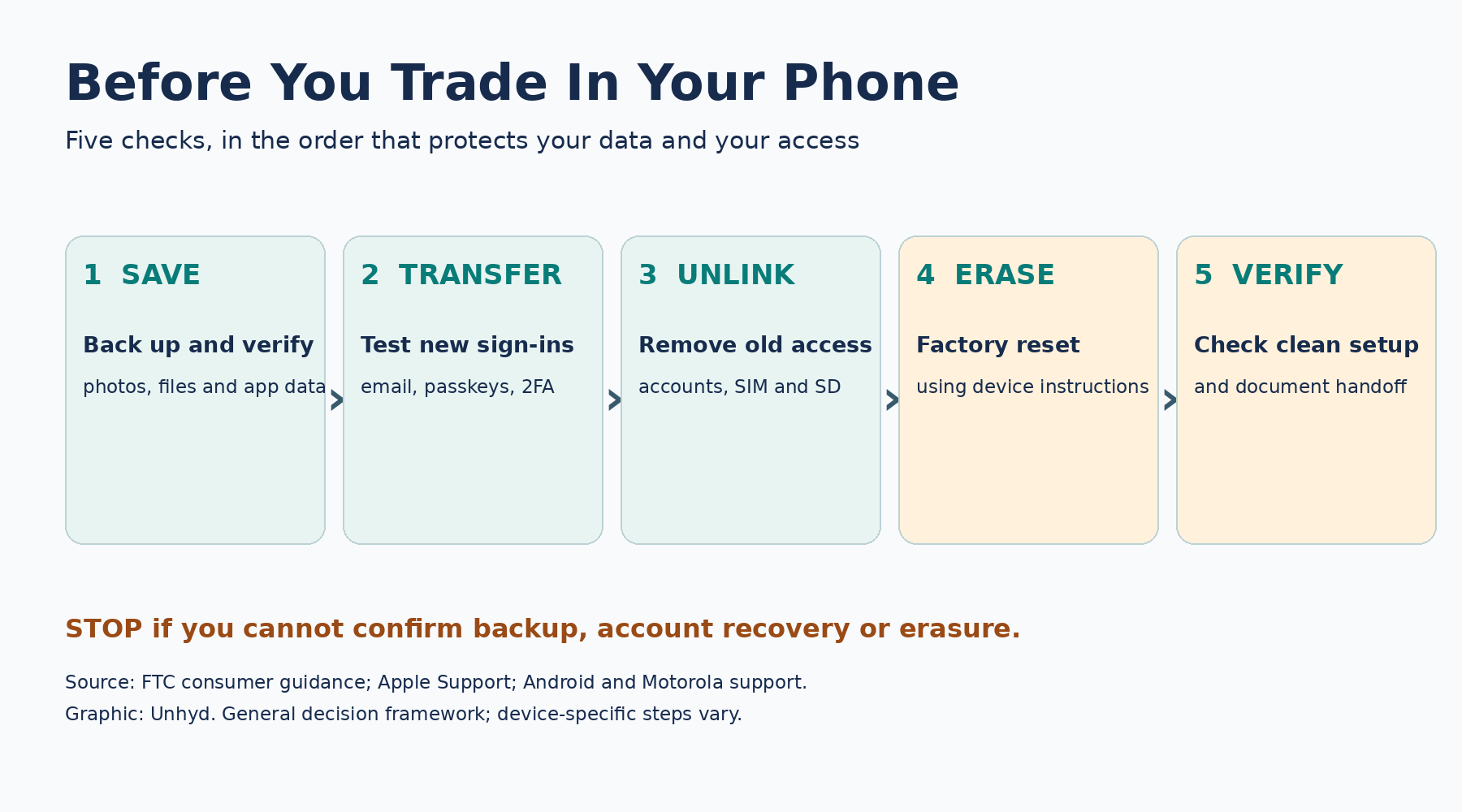
The Federal Trade Commission's phone-disposal guidance recommends backing up information, removing physical SIM and storage cards and erasing personal data. Its 2025 upgrade guidance adds an important step: unlink accounts and trusted devices. Apple's and Android's instructions differ, so a universal sequence that skips device-specific checks can create problems.
Before resetting, decide what must survive the handoff
Start with an inventory rather than an erase command. Check photographs and videos, local files, contacts, calendars, messages, downloaded documents, app data and any information held only on the device. A cloud icon is not evidence that every item is independently recoverable. Open the relevant account on another device and check whether the important information is actually present. For irreplaceable photographs, consider an independent backup rather than relying on one synchronized library; Unhyd's guide to cloud photo backups explains the difference between sync and recoverable copies.
Some apps intentionally keep information locally. An authenticator may require a separate export, transfer or new enrollment; a messaging app may require its own backup or transfer process. Check the instructions for each important app before you erase the old phone. Do not assume a successful transfer of photos means every account, payment token or security credential transferred too.
Move account recovery before moving the phone out of reach
One overlooked risk is losing access to the account that controls your other accounts. If your only second factor is on the phone you are selling, erasing it may lock you out even if the new device works. Test access to your primary email, password manager and important financial services from the replacement device. Where supported, add a second authenticator, a hardware security key or securely stored recovery codes before retiring the old one.
The same precautions matter when a phone disappears unexpectedly. If you have not already established independent recovery methods, see our guide on what to do before you lose your phone, which explains how to protect account access, prepare backup codes, and avoid relying on a single device.
Unhyd's passkey setup guide explains why credential storage and recovery are separate decisions. A synced passkey may be available on another supported device, but a device-bound credential may not transfer. Review each service's documented recovery route; never send a recovery code to a buyer or trade-in intermediary.
If you are changing phone numbers, update account recovery numbers and contact details before your previous number is disconnected. If you are keeping the same number, confirm that the new device's physical SIM or eSIM has been activated. The FTC specifically warns that people using authenticator apps may need to reactivate them after switching devices. A working new phone is not proof that every two-factor sign-in path is ready.
Prepare an iPhone for trade-in or resale
Follow Apple's current iPhone handoff instructions for your device and software version. If an Apple Watch is paired, unpair it as directed. Back up or transfer your data and verify access on the replacement phone. Sign out of your Apple Account as instructed, then use the device's Erase All Content and Settings process rather than manually deleting photographs, contacts or notes one by one.
Manual deletion is risky because synchronized content can disappear from other devices or cloud services. The proper erase process is designed to remove the phone's personal data while preparing it for another owner. Apple says that erasing an iPhone with Find My enabled removes Activation Lock as part of the process. Confirm that the phone reaches the initial setup screen and is no longer associated with your account in a way that would prevent the recipient from activating it.
Be careful with cellular service. If you are transferring an eSIM to a new device, complete that transfer before deciding whether to erase the old eSIM. The options presented during an iPhone erase can vary by device and carrier. For a trade-in, follow the carrier's or manufacturer's instructions rather than assuming that deleting a digital SIM is the same as canceling a cellular plan.
Prepare an Android phone without leaving an account lock
Android instructions vary by manufacturer and version. Google's factory-reset guidance says to verify your Google Account credentials and backup before resetting. A reset deletes local app data, but some app data may not be included in the backup. Test your replacement phone first, especially for authentication and messaging apps.
Android devices can also use Factory Reset Protection, intended to deter unauthorized reuse after theft. On some devices, resetting through the wrong route or leaving an account association unresolved can require the previous owner's credentials during setup. Motorola's device guidance specifically advises removing Google accounts and the screen lock before giving the phone to someone else. Follow the manufacturer-specific instructions for the actual model instead of relying on a generic online checklist.
Use the built-in factory-reset procedure in Settings when the device is working and you can authenticate. If the device is damaged or inaccessible, do not promise a buyer that a remote erase has succeeded unless the service confirms completion. A remote command may require the device to reconnect. If you cannot verify an erase, consider a manufacturer-authorized recycling or service route rather than handing over a phone that may still contain personal information.
Remove cards, accessories and old device permissions
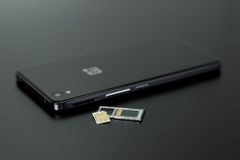
Check for a removable physical SIM and microSD card. The FTC recommends removing both before disposal. A physical SIM can carry account identifiers and potentially some stored information; a memory card may contain photos or files not erased by a phone reset. If you will not reuse a SIM, ask your carrier about safe disposal. Do not destroy a card you still need to activate your replacement service.
Review your important accounts' lists of trusted or signed-in devices. Remove the old handset after confirming that the new device can sign in. This is different from deleting the underlying account: you want to revoke the retired device's access, not erase the account or cloud content you intend to keep. Review payment wallets, Bluetooth accessories, watches and device-management profiles where applicable. Employer-managed phones may require the organization's IT administrator to remove management or enrollment restrictions.
Verify the reset before packing the phone
A useful handoff test has three parts. First, the replacement device contains the data you intended to keep and can access critical accounts. Second, the old device has been erased using its supported procedure and starts at the initial setup or welcome screen, without showing your personal apps or data. Third, the old device is no longer tied to an activation or account lock that would prevent a legitimate new owner from setting it up.
Do not sign in again merely to demonstrate the phone to a buyer. If you need to troubleshoot, follow the manufacturer's support instructions and erase again afterward. Photograph the device's exterior condition and record the trade-in transaction or shipment reference, but keep serial numbers and identifying account information out of public listings. Remove cases, cards and accessories according to the receiving program's requirements.
Trade-in value and shipment are separate decisions
A secure reset does not guarantee the quoted trade-in value. Apple's trade-in terms explain that the final credit can depend on the device's inspected condition and that online estimates may change. Compare the quoted value, timing, condition standards, return options and whether the payment is cash, store credit or a promotional carrier credit. Those forms of compensation are not equivalent.
Before shipping, check the specific program's battery and packaging rules. Damaged or swollen batteries may be prohibited from ordinary shipment and require a different handling route. Keep shipment confirmation and, where available, a drop-off receipt. A buyer's claim that a device never arrived is easier to investigate when you have a dated acceptance record.
If you cannot erase the device, do not treat it as a normal resale
A broken screen, dead battery or lost passcode may prevent a verifiable factory reset. That changes the decision. If the device still contains personal information and you cannot confirm erasure, ordinary resale or donation may expose data or leave the next owner unable to activate the phone. Contact the manufacturer, carrier or a reputable electronics recycler about available options. Do not assume that a phone that will not turn on contains no recoverable data.
The FTC recommends recycling devices that are not being sold or given away, using appropriate electronics recycling channels. The safest choice depends on the device's condition and the ability to remove information, not simply its resale price.
A final five-minute handoff check
Before the phone leaves your possession, confirm that your replacement has the information and sign-in methods you need; the old phone has been properly disconnected from relevant accounts; physical SIM and storage cards have been handled; the device has been erased and reaches a clean setup screen; and the transaction, condition and shipment have been documented. If any of those checks fails, postpone the handoff until it is resolved.
Preparing a phone for trade-in is ultimately a continuity exercise as much as a privacy exercise. The objective is not only to prevent the next owner from seeing your information. It is to make sure you can still access that information, and your accounts, after the old device is gone.