
What to do before you lose your phone is a question worth answering while your device is still in your hand. A missing phone can mean more than replacing hardware: it may hold the authenticator app, trusted-device approval, recovery email access and phone number used to sign in elsewhere. The practical goal is not to make every account accessible without verification. It is to make sure that losing one device does not eliminate every legitimate way to prove your identity.
This guide builds a phone-loss recovery plan from the published instructions of Apple, Google's Android help, Google Account Help and the Federal Trade Commission. It is a planning framework, not a claim that the same recovery tools exist for every account or that an account can always be recovered.
What to do before you lose your phone: identify the dependencies
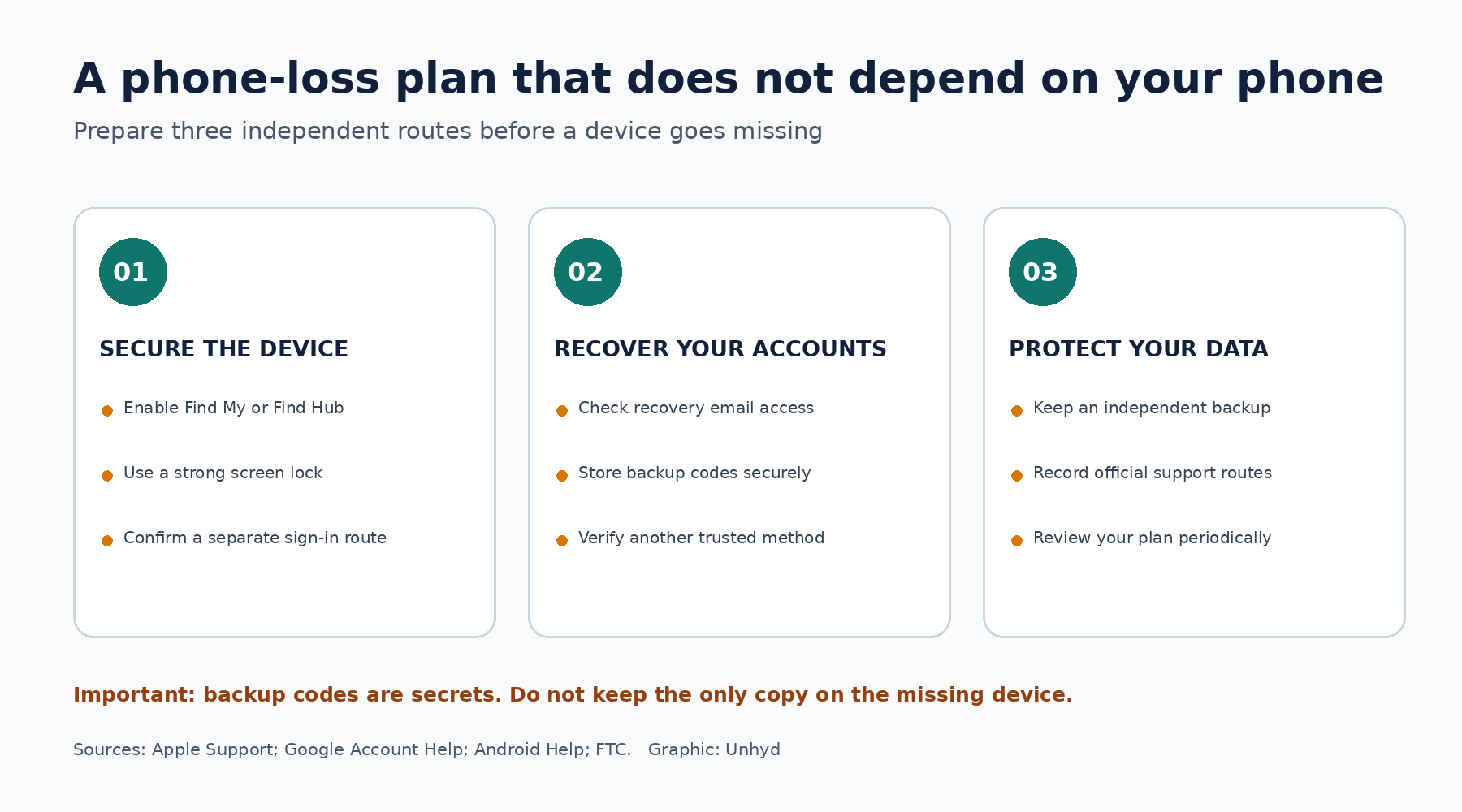
Start with the accounts you cannot afford to lose: your primary email, Apple or Google account, password manager, bank, mobile carrier and any work administrator account. For each, write down how you normally sign in and what happens if your phone is unavailable. A password may be only the first step. The second step might be a text message, authenticator code, passkey stored on the missing device or an approval prompt sent to it.
Then ask a harder question: does your backup depend on the same phone? A recovery email that can only be opened through a passkey on that device is not independent. Neither is a backup-code screenshot stored only in its photo library. The goal is to break this circular dependency without weakening security by sharing passwords or disabling multifactor authentication.
Build an independent way to recover your primary email
Primary email often controls password-reset links for other services, making it a logical starting point. Review your account's recovery email address and phone number, remove obsolete details and confirm that you can access the recovery mailbox without the phone you might lose. Where the provider supports backup codes or additional security keys, consider setting them up in advance.
Google says its two-step verification backup codes can be used when normal verification methods are unavailable. It issues a set of ten codes; each code can be used once, and generating a new set invalidates the previous set. These codes are sensitive authentication secrets. Store them in a secure location that is accessible without the missing phone, not in an unprotected note or shared document.
Not every Google account can download those codes: Google's Advanced Protection Program has different rules. Work and school accounts may also be controlled by an administrator. Confirm the actual recovery options for your account rather than following a generic checklist that assumes a feature is available.
Test the recovery path without locking yourself out
A recovery plan should be tested carefully, but testing does not mean signing out of every trusted device or deliberately triggering a lockout. From a separate computer or tablet you already trust, check whether you can reach the provider's official recovery page and whether the listed backup methods still exist. Confirm that any printed backup codes are legible and stored securely. Do not enter live recovery codes merely to test them unless you understand that using a one-time code consumes it.
Record the official account-recovery entry point, not a search-result advertisement or support phone number supplied by a stranger. Google's account recovery guidance warns that it does not work with third-party password-recovery services. An unexpected message claiming it can unlock your account in exchange for a code or payment is a reason to stop.
Enable the device-finding tools while you still have the device
For an iPhone, verify that Find My is configured. Apple's lost-device instructions explain that a missing iPhone can be located or marked as lost through Find My or the web-based Find Devices service. If Find My was not enabled beforehand, Apple says the device will not appear for remote location or erasure. The web Find Devices flow can be used without a verification code, an important exception when the lost iPhone was the trusted device.
For Android, verify that the phone appears in Google's Find Hub and meets the requirements for remote protection. Google's help describes prerequisites including power, network connectivity, account sign-in and Find Hub availability. Depending on device state and settings, you may be able to locate, secure or erase it. Some functions depend on the device coming online.
Write down the official service name and how to reach it from a borrowed computer. Avoid storing the only copy of these instructions on the phone itself. A simple paper note with official service names and nonsecret contact information is more useful in an emergency than a complicated document you cannot unlock.
Make a safe recovery kit, not a portable collection of secrets
A good kit contains an inventory and an access plan. It can list the name of each critical service, the official recovery site, the location of securely stored backup codes, your carrier's verified support channel, and whether you have a second trusted device or security key. It should not contain plaintext passwords, complete bank details or exposed authentication codes in a wallet that might be stolen with your phone.
Separate sensitive recovery materials from everyday carry. For example, keep a printed set of one-time codes in a secure home location rather than in the phone case. If you use a password manager, make sure you know how to access it from another device and what independent recovery method it supports. Password managers vary, and some deliberately cannot restore an account if its master secret and recovery material are lost.
Keep a current backup of important photos, contacts and documents. The FTC's phone-protection guidance recommends screen locks, updates, backups and lost-device tools. A cloud backup may protect your data but is not a substitute for access to the account that holds it. Verify both the backup and the recovery route.
Know the first actions if your phone goes missing
If you think the phone is misplaced nearby, use the official finding service to check its location or play a sound. If it is not promptly found, mark it as lost or secure it where supported. If theft is suspected, do not confront someone based on a map location. Contact law enforcement when appropriate and tell your mobile carrier so it can discuss suspension and account protections.
Apple advises users to mark a stolen iPhone as lost and warns against removing it from Find My because doing so removes Activation Lock. It also cautions that people claiming to have found the phone may try to obtain passcodes or verification codes. Treat unsolicited recovery messages as untrusted even if they mention your device model or location.
For Android, Google explains that remote erasure permanently deletes device data and may prevent subsequent location through Find Hub. For either platform, consider erasure after evaluating whether the phone can be recovered and what data is backed up. This is not a decision to make automatically for every misplaced device.
Secure accounts in order of possible exposure
If the device was protected by a strong screen lock and you have no evidence that anyone accessed it, securing the device and monitoring accounts may be the immediate priorities. If someone may know the passcode, or the phone was unlocked when stolen, prioritize the primary email, Apple or Google account, password manager, financial apps and mobile-carrier account. Use a separate trusted device and the official service websites.
Review active sessions and connected devices where the provider permits it, revoke access for the missing device when appropriate, and update passwords if compromise is suspected. Be careful not to remove a device in a way that disables theft protection: Apple's distinction between account device management and Find My's Activation Lock is especially important. Where a financial account may be compromised, contact the institution directly using verified details.
A credit freeze is a different tool for a different risk. It can help prevent new-credit fraud after identity theft but does not locate a phone or stop takeover of an existing email account. The Consumer Financial Protection Bureau makes that distinction explicit. Do not substitute credit-file protection for account recovery.
A ten-minute maintenance check every few months
Recovery information ages. Phone numbers change, secondary email accounts expire, security keys get misplaced and printed backup codes may be invalidated by newly generated sets. Review the kit periodically and after changing phones, carriers or major accounts. Confirm that a trusted person knows where to find nonsecret emergency instructions without being given unrestricted access to your accounts.
Replacing your phone is also a good time to review your recovery plan. Before selling, recycling or trading in the old device, make sure your important information and authentication methods are working on the replacement. Our guide to how to prepare a phone for trade-in explains the steps for transferring access, disconnecting accounts and safely erasing the old device.
For households, consider the practical question of who can help if the account owner is unavailable. A partner may know which carrier to call without knowing the account password. For business owners, a separate authorized administrator can reduce dependence on a single employee's phone. These are access-governance decisions, not reasons to share credentials casually.
The most useful result is a small, tested plan: one way to locate or secure the device, one independent way to reach critical accounts, and one secure place for recovery materials. Losing a phone is stressful enough. It should not automatically mean losing the only keys to your digital life.