The Apple Creator Studio update announced on October 27 will add document-aware AI assistants to Keynote, Pages and Numbers, along with support for external agents using Model Context Protocol (MCP). It also brings built-in MotionVFX content to Final Cut Pro and a beta assistant to Logic Pro. Apple says the changes will arrive in November, meaning the announcement is not evidence that every new feature is available to users today.
The development is more consequential than another menu of generative features. Apple is describing a workflow in which AI can work inside existing creative and office applications, while external tools may read and edit documents. The practical questions are which devices qualify, what access an agent receives, and which capabilities require a paid subscription.
What is new in the Apple Creator Studio update?
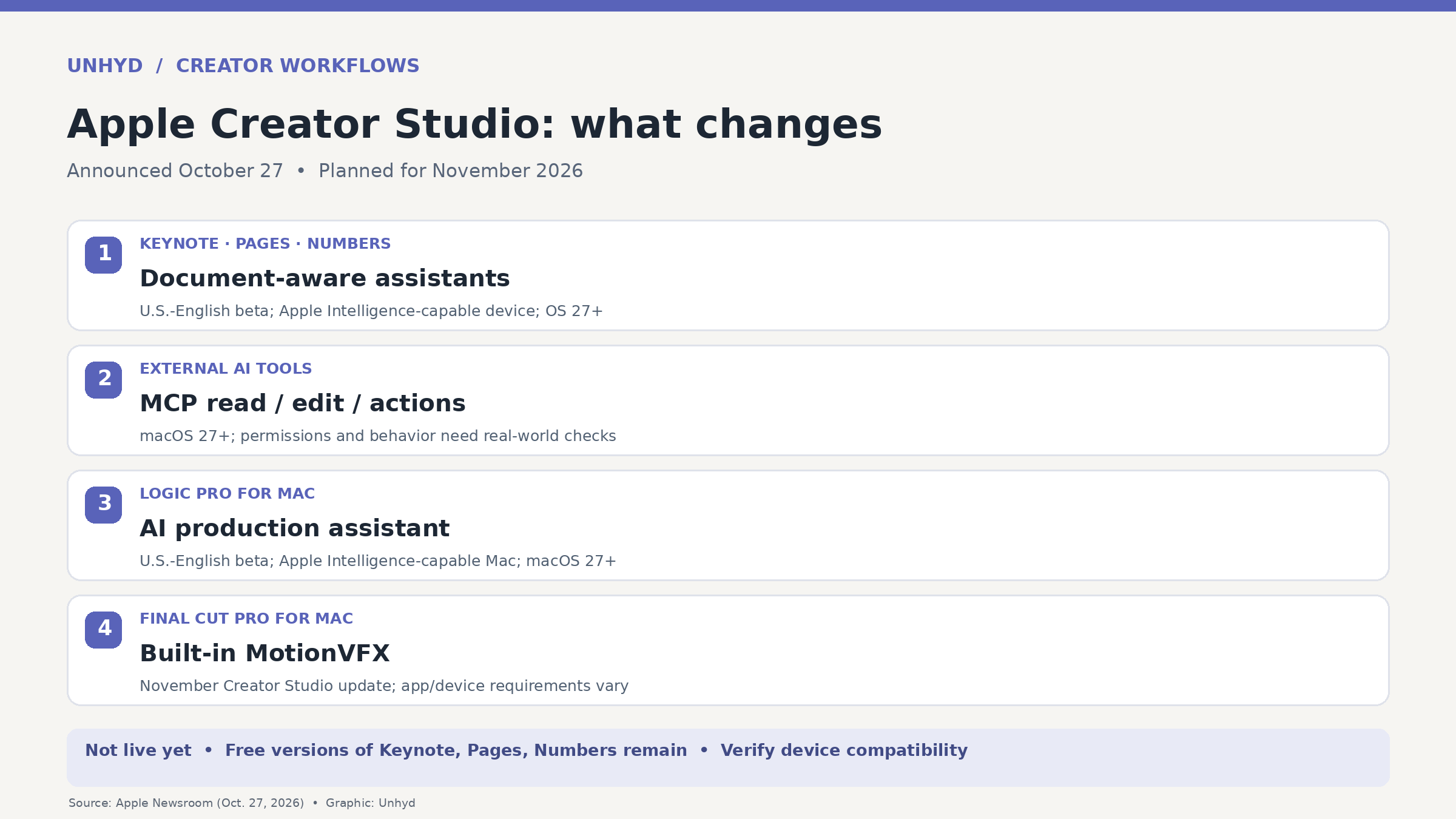
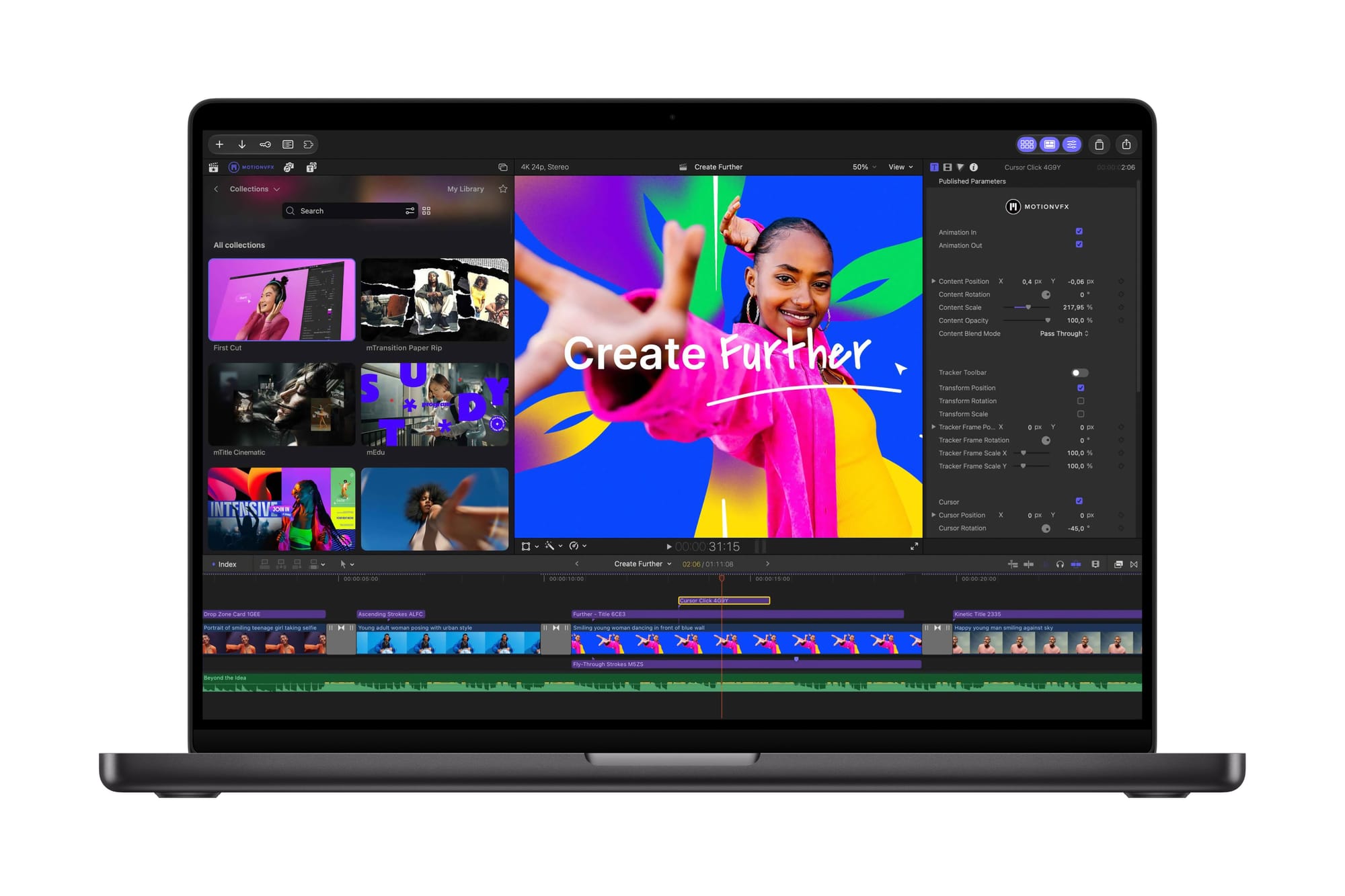
According to Apple’s October 27 announcement, Final Cut Pro for Mac is gaining built-in MotionVFX effects, templates, transitions, tracking and color tools. Apple is also extending its Content Hub to video assets within Final Cut Pro, so editors can locate stock footage and backgrounds inside the workflow. These are announced capabilities, not features Unhyd has independently tested.
Pixelmator Pro will add Generate Fill, which lets users select part of an image and describe a change. Apple says the system attempts to match lighting, perspective and texture, while keeping the result editable. That may be useful for design work, but generated imagery still requires visual review, disclosure where appropriate and source checks before it is used as documentary evidence.
Logic Pro for Mac is receiving a beta assistant that Apple says combines its own models with OpenAI technology. The assistant is intended to help set up projects and tracks, start songs and refine production work. Logic Pro is also gaining a redesigned sound browser and improved drum separation. Those additions are distinct from the Keynote, Pages and Numbers assistants, even though they arrive within the same subscription package.
Why MCP changes the document-automation story
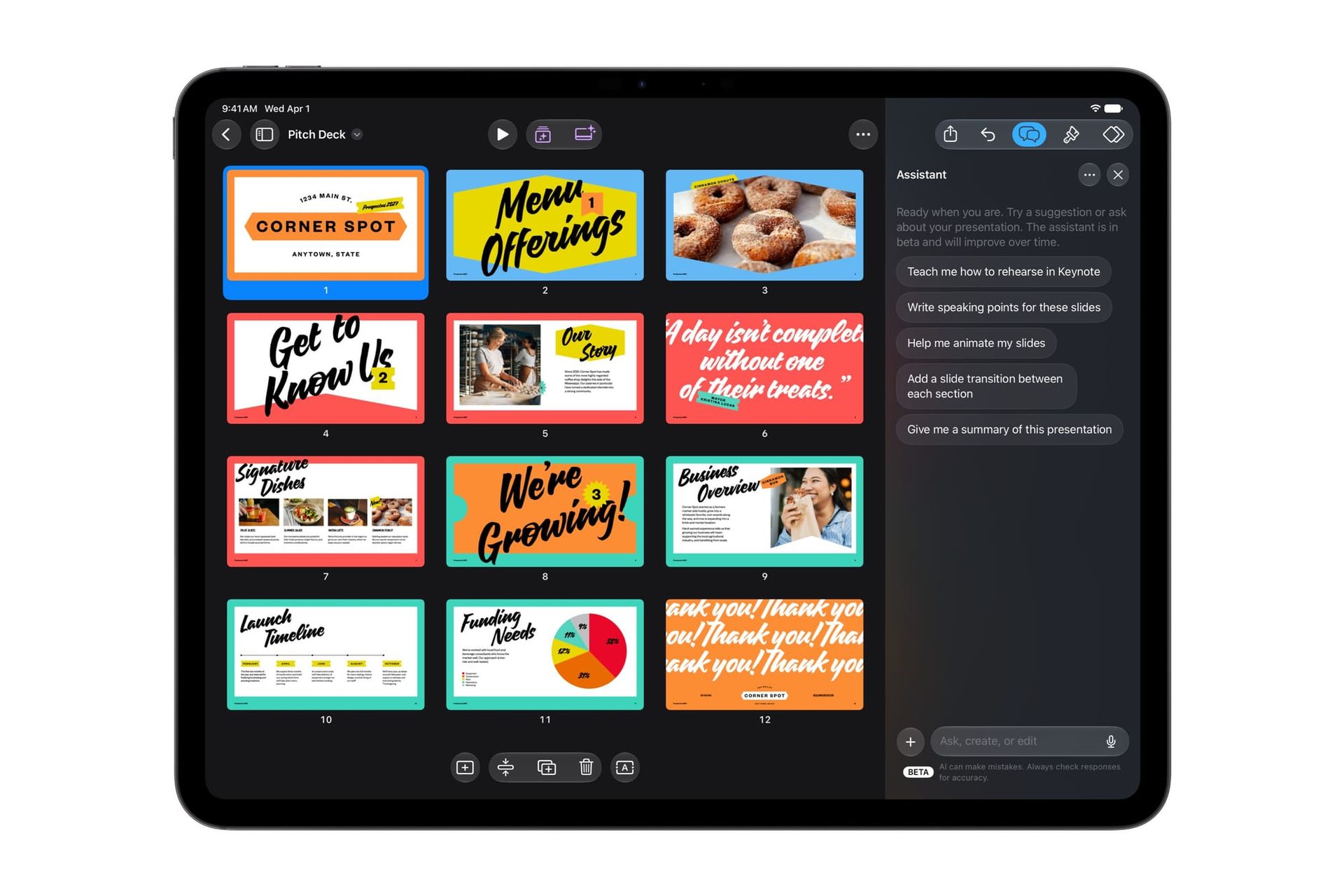
In Keynote, Pages and Numbers, Apple says built-in assistants can understand document context. The company describes assistance with slide design, drafting and restructuring text, organizing data and recommending charts. More notably, its MCP support is designed to let external AI tools read content, make edits and execute actions directly inside the three apps. That creates a different category of capability from simply asking a chatbot for text to paste.
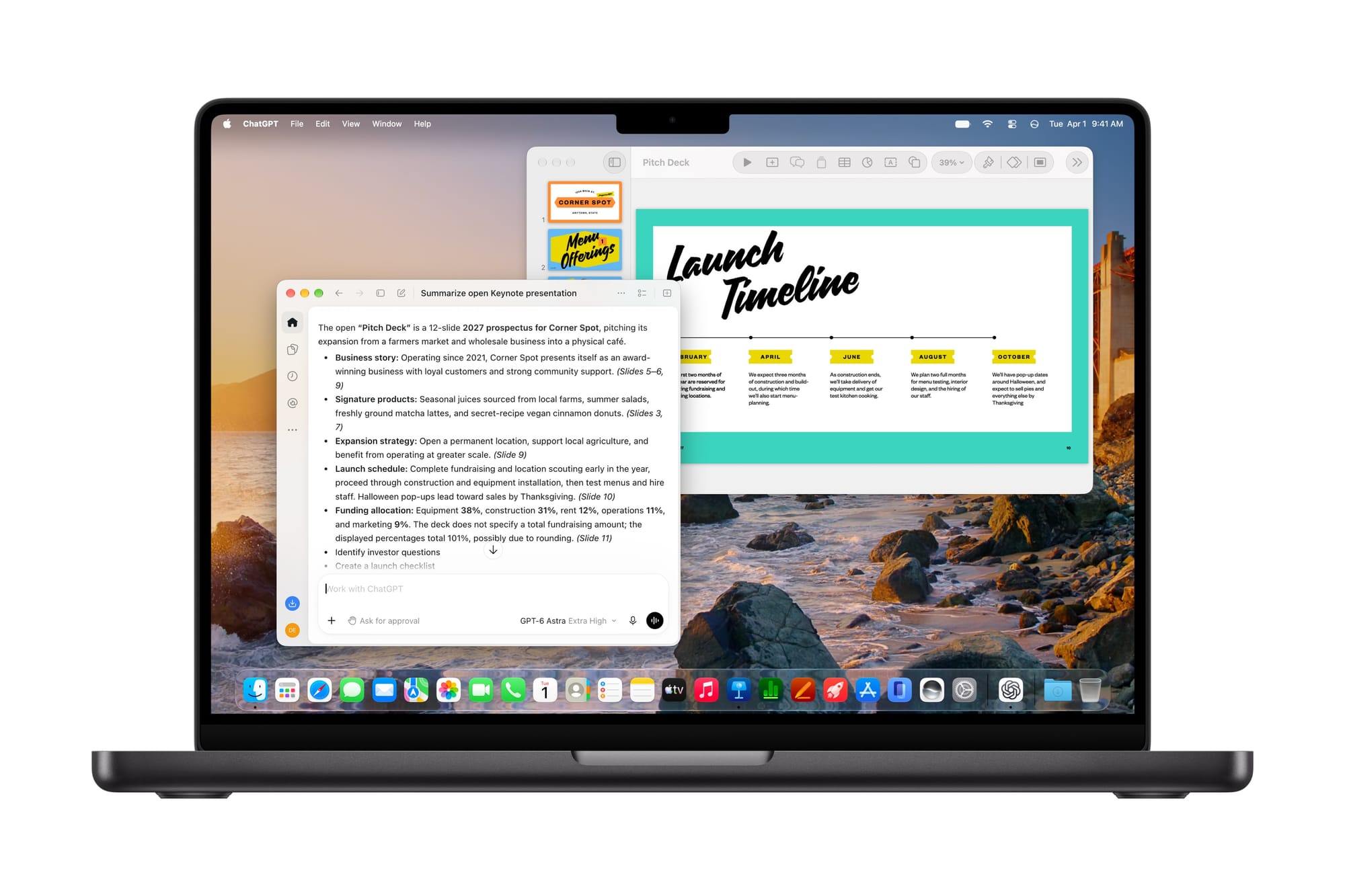
The significance is the potential to automate a chain of work: reading a spreadsheet, preparing a summary and updating a presentation without manually copying every result between applications. That is a reasoned example of the announced interfaces, not a workflow Unhyd has run. Apple has not provided enough detail in the release to independently assess every permission prompt, audit log, third-party connection or failure mode.
Those questions are important because the usefulness of an agent depends on what it is allowed to change and how a person can inspect its work. Unhyd’s earlier coverage of agent permissions explains the general distinction between an AI system’s reasoning and the controls that govern its access. The Apple announcement establishes a new integration path; it does not, by itself, validate every safeguard for a particular deployment.
Who can use the new assistants?
Apple’s footnotes narrow the audience. The Keynote, Pages and Numbers assistants are betas available in U.S. English and require an Apple Intelligence-capable device running iOS 27, iPadOS 27 or macOS 27 or later. MCP support in those three apps requires macOS 27 or later. The Logic Pro beta assistant requires an Apple Intelligence-capable Mac with macOS 27 or later and is also limited to U.S. English. Other creative-app features have their own software and hardware requirements.
Apple says the November Creator Studio update will be free to existing subscribers. New U.S. subscribers pay $12.99 monthly or $129 annually, with education pricing for eligible students and educators. One-time-purchase versions of several Mac professional applications remain available, and free versions of Keynote, Pages, Numbers and Freeform continue to exist. That does not mean the newly announced premium assistants are included in the free versions.
What creators should check before changing their workflow
A video editor considering the update should verify that the required Final Cut Pro version and hardware are supported, then compare the built-in MotionVFX content with any existing licensed effects. A musician should check whether the Logic Pro assistant is supported on their Mac, rather than assuming the same functionality will appear on iPad. A team using Keynote or Numbers should distinguish built-in beta assistance from external MCP automation and document which agent connections are approved.
For publishers and creative teams, provenance remains a separate concern. An AI-assisted edit can be visually convincing without proving that the underlying scene is real. Unhyd’s guide to Content Credentials explains why recording how an asset changed can help reviewers, while never replacing fact-checking. The availability of Generate Fill should not be mistaken for permission to present synthetic content as an unaltered news photograph.
November is the real test
The October 27 announcement provides a product roadmap and compatibility details, not independent performance evidence. Apple has not supplied a precise November release day in the main announcement. The next meaningful checks will be actual feature availability, beta reliability, how MCP permissions behave in practice and whether creators save time without losing control over documents and media.
The broader change is that Apple is trying to bring AI assistance into the tools where creators already edit, write, calculate and publish. Whether that produces better work will depend less on the breadth of the feature list than on the quality of the outputs, the limits of the beta systems and the degree of control users retain.