
A fake FTC website can look convincing because it borrows the agency’s name, logo and even its explanatory language. The important test is not whether a page looks official: it is whether the address and the path by which you reached it are independently trustworthy. On November 12, 2026, the Federal Trade Commission warned that scammers were cloning its websites and impersonating its staff. The agency said it had sought the removal of more than 30 FTC impersonator sites since its government-and-business impersonation rule took effect in April 2024. That is a count of sites targeted for removal, not a count of victims or a measure of how many fake sites exist.
The finding behind the warning
The FTC reported more than one million imposter-scam reports and $3.5 billion in reported losses for the previous year. Those totals concern impersonation scams broadly; they are not losses attributed specifically to fake FTC websites. Conflating the two would exaggerate what the agency actually measured. The narrower, actionable finding is that the agency itself is being impersonated online, including through sites with non-government domain endings. A trustworthy-looking design cannot substitute for checking the real address. For related detail, see FTC’s November 12 consumer alert.
Start with the full web address, not the logo
The FTC says its genuine websites end in .gov, including ReportFraud.ftc.gov. A page ending in .com, .org, .us or .online that claims to be the FTC is not an official FTC website. Look at the domain in the browser address bar, not at a search-result headline or the text of a hyperlink. A path such as a long string of letters after an unrelated domain does not become government-controlled merely because it includes the letters “ftc.” Likewise, a subdomain can place “ftc” before a completely different registered domain. The decisive question is which organization controls the actual domain.
Why HTTPS and a familiar seal are insufficient
A padlock or HTTPS connection means the browser is communicating through an encrypted connection to the site it reached. It does not establish that the site belongs to the government. Criminal operators can obtain certificates for domains they control. The FTC also says impersonators reuse official logos and content. Treat the seal, typography and professional layout as visual information rather than proof of authority. The same applies to screenshots of employee badges and purported agency identification numbers sent by text or email.
Use an independent route when a message pressures you
If a caller, text, social post or email sends you to an FTC-looking site, do not enter personal information through that link. Open a fresh browser tab and type the official agency address yourself, or navigate from a trusted government directory. This breaks the connection between the person making the claim and the evidence used to verify it. It also matters for search ads: a sponsored listing can look prominent without establishing government ownership. A result’s ranking is not an authenticity check. For a suspected scam, use the agency’s official reporting service at ReportFraud.ftc.gov.
A three-check verification method
First, identify the actual domain and confirm that it is the expected government address. Second, navigate independently instead of following the sender’s link or phone number. Third, compare the requested action with the agency’s published practices. The FTC says its employees do not demand that people move money to protect it, withdraw cash, or hand over gold. A demand for immediate payment, remote access or financial-account credentials is a reason to stop even if the page otherwise looks authentic.
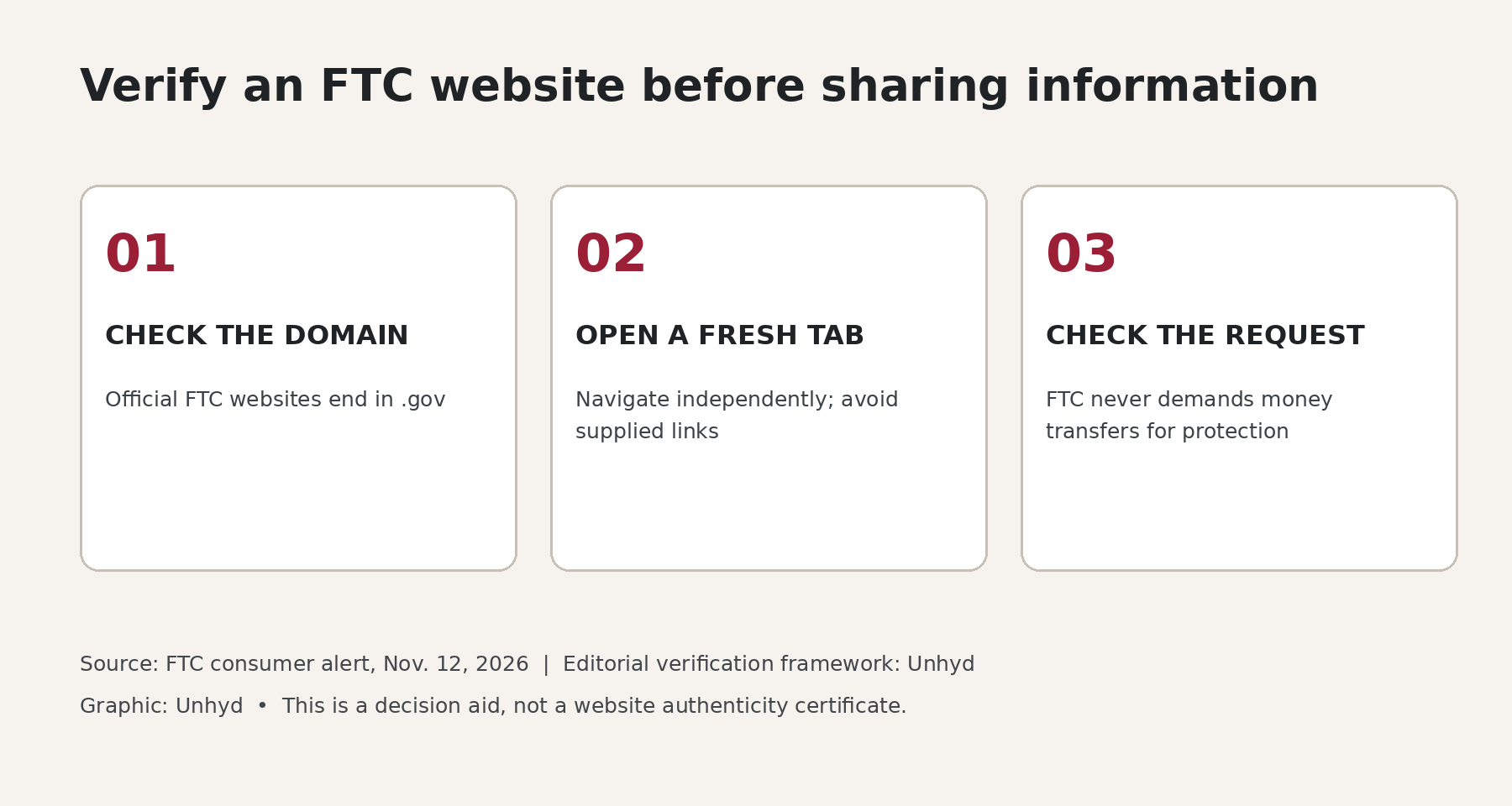
These checks are a practical editorial synthesis of FTC guidance, not a guarantee against every impersonation technique. For related detail, see Unhyd’s independent-verification framework for job offers.
If you entered information, respond to what was exposed
The next action depends on what happened, not merely whether you visited a page. If you only opened a suspicious website and supplied nothing, close it and avoid interacting further. If you provided an account password, change it through the legitimate service and enable multifactor authentication. If you supplied a Social Security number or other identity information, use the FTC’s IdentityTheft.gov guidance to evaluate protective steps. If you sent money, immediately contact the bank, card issuer or payment service through its independently verified channel and ask about reversal or dispute options. Recovery is not guaranteed and depends on the payment method and circumstances. For related detail, see FTC recovery guidance.
Do not confuse reporting with account recovery
ReportFraud.ftc.gov accepts fraud reports; IdentityTheft.gov provides identity-theft recovery guidance. They serve related but different purposes. Reporting a fraudulent website may help authorities identify patterns, but it does not automatically reverse a payment or restore a compromised account. The FTC’s broader recovery guide recommends contacting the relevant financial provider quickly after a fraudulent transfer and securing any accounts whose credentials were exposed. Readers dealing with identity theft may also need to inspect their credit reports or consider a free security freeze, which addresses fraudulent new-credit applications rather than existing-account takeover. For related detail, see Unhyd’s guide to free credit freezes.
What the available evidence does not show
The FTC’s November 12 warning does not publish a complete inventory of the more than 30 impersonator sites, their traffic, or the number of people harmed by each. It also does not establish that a particular unsolicited message received by a reader is malicious without examining that message. The warning is evidence of a documented impersonation pattern, not proof that every unfamiliar domain or contact is fraudulent. The safer response is verification through a separate official channel, rather than assuming authenticity or publicly accusing a particular sender.
A practical decision before sharing anything
Ask three questions in order: Am I on a verified official domain? Did I arrive here independently of the person requesting information? Is the requested action consistent with what the agency says it does? If any answer is no or uncertain, stop and verify before proceeding. This procedure takes the focus away from how polished a page appears and places it on evidence that the sender cannot easily supply or manipulate. The lesson extends beyond the FTC: when a website asks for sensitive information in the name of an institution, verify the institution independently before treating the request as authoritative.