To choose a USB-C charger that actually suits your phone, tablet or laptop, start with the device's charging specification—not the biggest wattage printed on a wall adapter. USB-C describes the connector. It does not guarantee a particular charging speed, power-delivery protocol, cable capability or amount of power available when several devices are plugged in.
The buying decision is easier when divided into four checks: what the device accepts, what the charger can deliver at the port you will use, what the cable can carry and whether the product comes from a trustworthy, appropriately tested source. This guide uses published specifications from the USB Implementers Forum, Apple, Samsung, Google and an actual multiport charger to show how those checks work without pretending to have conducted laboratory testing.
How to choose a USB-C charger: start with the device
Search the manufacturer's official support page for your exact model and look for recommended USB-C adapter wattage, supported USB Power Delivery (USB-PD) mode, and any special requirements. A laptop shipped with a 65W USB-C adapter is a different case from a phone whose fast-charge guidance calls for 20W or 40W. The manufacturer may also specify a particular cable or protocol.
For example, Apple's iPhone fast-charging guidance says compatible iPhone models can use USB-C Power Delivery adapters, while newer models have different recommended adapter wattages. It gives 40W or higher for the iPhone 17, 17 Pro and 17 Pro Max to reach the specified fast-charge benchmark under its test conditions. That is not a promise that the phone continuously consumes 40W throughout a charge.
Charging power changes with battery level, temperature, system use and device controls. A charger rated for 100W does not force 100W into a compliant phone. The phone and charger negotiate supported power modes; a higher maximum rating alone does not make a phone charge faster than its own limits allow.
USB-C, USB Power Delivery and PPS are different things
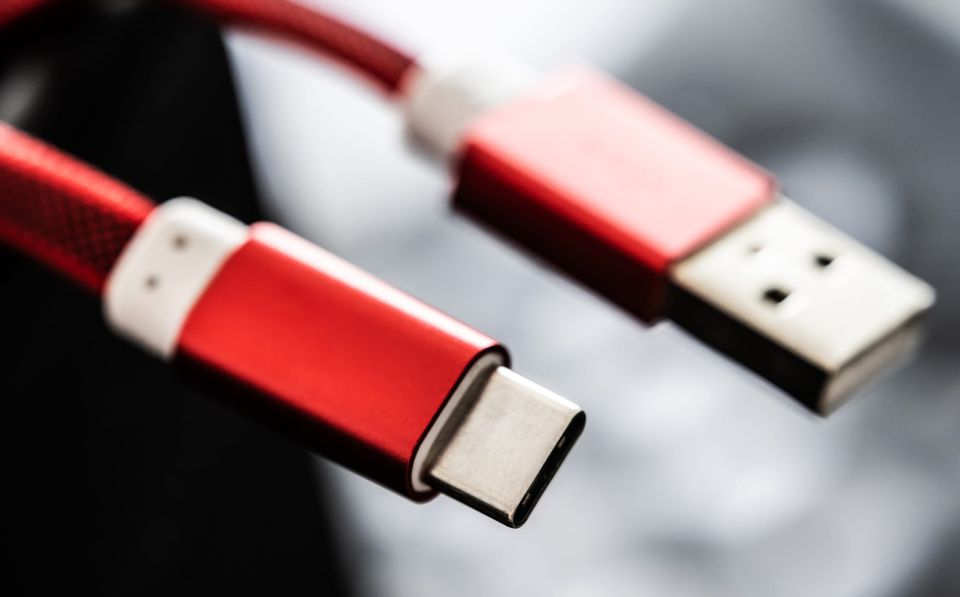
USB-C is the physical connector shape. USB Power Delivery is a protocol through which compatible devices and power supplies negotiate power. Programmable Power Supply (PPS) is an optional USB-PD capability that permits finer adjustment of supplied voltage and current where supported.
That last distinction matters for some Android fast-charging modes. Samsung's official 45W adapter specifications explicitly list USB-PD 3.0 and PPS output ranges. The company associates the adapter with Super Fast Charging 2.0 on supported Galaxy models and includes a 5A USB-C cable. That does not mean every Samsung phone accepts 45W or that any adapter with “45W” on the box supports the required mode.
If a seller lists only “USB-C fast charger” without the actual PD or PPS modes, there is not enough information to confirm a particular fast-charge claim. Check the official technical specification rather than treating connector shape or a marketing phrase as proof.
How many watts are enough for a USB-C charger?
There is no single correct wattage for every household. A phone-only charger may need much less capacity than a laptop charger. For one device, use the manufacturer's recommended adapter power as the starting point; for multiple devices, add the power requirements you want to support simultaneously and then inspect how the charger allocates output.
A useful electrical relationship is power (watts) = voltage (volts) × current (amperes). Thus, a listed 20V × 3A power profile corresponds to 60W, while 20V × 3.25A corresponds to 65W. These are calculations from output specifications, not measurements of what a connected laptop actually draws.
Be careful with high-wattage marketing. A 100W adapter can be a reasonable choice for a 65W laptop if it provides the laptop's supported charging profile. But the extra 35W does not automatically make that laptop charge faster. A higher-rated adapter is valuable when it adds another compatible device, enough power for simultaneous charging or useful headroom for a future computer—not simply because its number is larger.
The multiport trap: 65W total is not 65W at every port
One published example makes the problem concrete. Anker's 725 Charger (65W) specifications say its USB-C port can deliver up to 65W when used alone. When both USB-C and USB-A ports are used, the stated allocation becomes up to 45W on USB-C plus 18W on USB-A.
Suppose, hypothetically, that a laptop is designed for a 65W USB-C adapter and a phone could use up to 20W. With only the laptop connected to that documented charger, the USB-C port's maximum rating matches 65W. With the phone connected to the second port, the laptop's available USB-C maximum falls to 45W, and the phone's USB-A maximum is 18W. The total of those two port maxima is 63W, not 65W, because the manufacturer's particular allocation is what matters. The laptop may charge more slowly or draw on its battery under heavy use; the actual behavior depends on the device.
This is not a universal rule that all 65W two-port chargers split 45W and 18W. It is a verified example from one published model specification. Another charger may use different allocations. For comparison, Google's Pixel Flex Dual Port 67W charger lists up to 67W on either port when used alone, up to 60W on a port when two devices are connected, and a combined maximum of 67.5W. Those separate maxima do not mean both ports can deliver 60W simultaneously. Always read the per-port table for one, two and three connected devices before buying.
Check the cable: USB-C shape does not establish power rating
According to the USB Implementers Forum's cable guidance, the current USB-IF certification program requires USB-C-to-USB-C cable categories to carry a 60W or 240W power-capability marking before compliance testing. The organization also distinguishes power capability from supported data-transfer speed.
A cable certified for 60W can be suitable for many phones and some laptops. If your laptop requires more than 60W through USB-C, look for a compatible higher-power cable, such as one properly rated for 240W, and confirm that the charger and device support the relevant power profiles. Older cable packaging may use different labels, including 100W or 5A; don't assume an unlabeled cable has the highest rating.
The cable's data speed is a separate purchase decision. A cable that charges a laptop may transfer files at only USB 2.0 speeds, while a high-speed cable may cost more than a charging-only user needs. USB-IF explicitly separates cable power markings and data-rate markings. If you only charge devices, don't pay extra for high-bandwidth video or data capability you will never use.
What certified USB-C products can and cannot prove
The USB-IF product search lists products certified to use USB-IF logos. Checking a product's exact model can help confirm compliance claims, though the organization cautions that listings are member-maintained and certification does not increase a device's inherent capabilities. A legitimate-looking logo on an unverified marketplace listing is not enough by itself.
Electrical safety deserves a separate check. USB protocol compliance and third-party electrical-safety certification are not identical. UL Solutions has published notices about counterfeit certification marks on USB chargers. Purchase from a reputable seller, verify the exact model and avoid damaged, unusually hot or visibly defective adapters. Certification marks should be verified rather than assumed genuine from a photograph.
When comparing accessories at checkout, also consider Unhyd's guide to extended warranties: an optional protection plan should be evaluated against existing coverage, not automatically added to a charger purchase.
One charger for several devices: use a repeatable checklist
Start with the most demanding device you intend to charge. Record its recommended wattage and charging protocol. Next, identify every other device you expect to connect at the same time. Find a charger whose published port-allocation table provides suitable power to each relevant port in that configuration—not merely a large aggregate total.
Then verify the cable power rating for each connection. If you travel, check the charger's input-voltage range and the correct plug type; a USB-C connector on the output does not tell you which wall outlets it fits. Keep the device manufacturer's charging and safety guidance in view, especially for specialized laptops or accessories.
Finally, distinguish a charging issue from a defective device. If charging is unexpectedly slow, test with a known-good manufacturer-approved cable and adapter, inspect ports for debris without inserting metal tools, and consult official support before assuming the battery has failed. Unhyd's product-recall verification guide explains how to check whether a particular charger or electronic accessory is subject to a safety notice.
When a more expensive charger is worth it—and when it is not
Paying more can make sense for verified electrical safety, a needed USB-PD/PPS profile, sufficient output on several active ports, a practical form factor or a documented warranty. It is harder to justify a premium for a maximum wattage that none of your devices can accept, an unnecessarily high data-rate cable used only for charging, or an unverified “fastest ever” claim.
The practical answer is not to buy the largest adapter on the shelf. It is to buy a well-documented, compatible combination of device, charger and cable—and to check the simultaneous-output table before treating one big wattage number as a promise.