
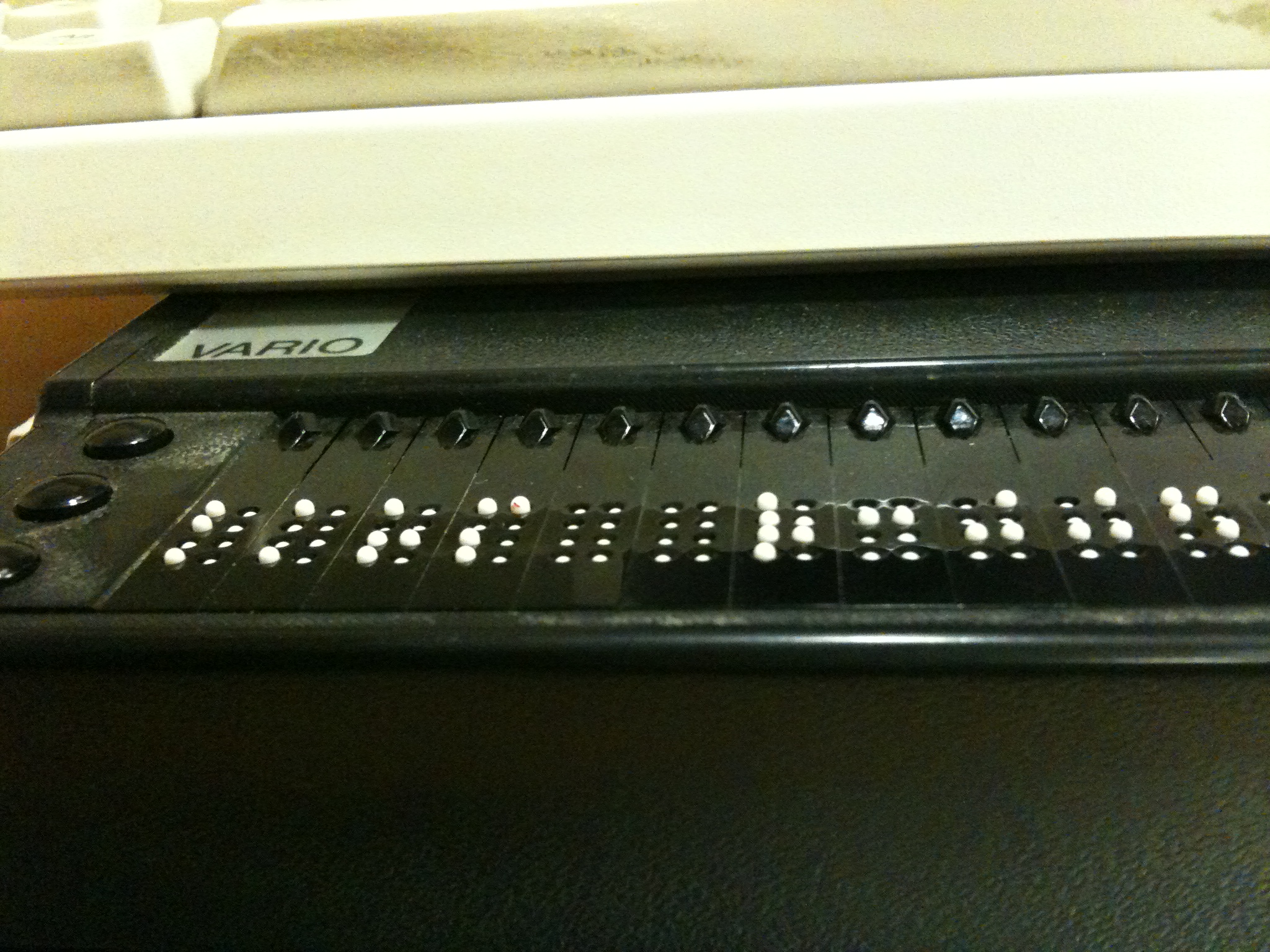
Digital accessibility is the work of making websites, apps, documents, and digital services usable by people with disabilities. In practice, that means people can perceive, understand, navigate, interact with, and contribute to a service using the devices and assistive technologies available to them. A screen reader user needs meaningful information in the code; a keyboard user needs every essential action to work without a mouse; a person watching video without sound needs captions; and someone enlarging text needs the layout to remain usable.
This is not a finishing task for the week before launch. The World Wide Web Consortium’s Web Accessibility Initiative explains that accessibility is built into how content, browsers, authoring tools, and assistive technologies work together. When teams make it part of product discovery, design, engineering, and quality assurance, they can remove barriers before those barriers become expensive rework or a blocked customer journey.
What WCAG 2.2 is—and what it is not
The most widely used technical framework for web accessibility is the Web Content Accessibility Guidelines (WCAG) 2.2. It is a W3C Recommendation with 13 guidelines organized around four principles: content must be perceivable, operable, understandable, and robust. The success criteria beneath those principles are testable and are grouped into Level A, AA, and AAA.
| Principle | Practical question | Examples |
|---|---|---|
| Perceivable | Can people receive the information? | Useful text alternatives, captions, readable contrast, and layouts that work when text is enlarged. |
| Operable | Can people use the controls and move through the experience? | Keyboard access, visible focus, logical headings, clear link text, and alternatives to drag-only actions. |
| Understandable | Can people make sense of content and complete a task? | Clear labels, predictable behavior, useful error messages, consistent help, and support for correcting mistakes. |
| Robust | Can browsers and assistive technologies interpret the experience reliably? | Semantic HTML and controls whose name, role, value, and state are exposed appropriately. |
WCAG is a shared technical standard, not a certificate that a product is usable for every person in every context. A conformance claim requires satisfying the applicable success criteria for a full page; for a multi-step process, every page in the complete process must meet the stated level. The W3C also recommends usability testing with people with disabilities because passing functional tests does not guarantee that an experience is easy to use.
What WCAG 2.2 adds to the work
WCAG 2.2 adds nine success criteria to WCAG 2.1. Several reflect ordinary friction in contemporary interfaces: sticky UI that obscures keyboard focus, small or crowded targets, drag-only interactions, repeated form entry, and sign-in flows that demand unnecessary memory or transcription. The W3C’s summary of the new criteria is the right starting point for implementation details.
For most product teams, the Level AA additions deserve early attention. Focus Not Obscured (Minimum) requires a focused component not be entirely hidden by author-created content. Dragging Movements requires an alternative that does not depend on dragging, unless dragging is essential. Target Size (Minimum) generally sets a 24-by-24 CSS-pixel minimum for pointer targets, subject to defined exceptions. Accessible Authentication (Minimum) addresses login steps that require a cognitive-function test without an alternative or supporting mechanism; password-manager support and allowing paste can be relevant practical choices.
The point is not to turn a standard into a cosmetic checklist. A visible focus indicator makes keyboard navigation legible. A non-drag alternative lets more people reorder, move, or select items. Larger targets reduce accidental taps. Authentication that works with a person’s existing tools lowers friction while preserving the need for appropriate security design.
Why the current policy picture needs a careful reading
Technical standards and legal requirements are not interchangeable. The rule that applies to a particular organization depends on its jurisdiction, services, contracts, and circumstances. Teams should obtain appropriate legal advice for a specific obligation. Still, two current developments make it useful to keep accessibility work on the product roadmap rather than treating it as a distant concern.
In the United States, the Department of Justice’s Title II rule for state and local government web content and mobile apps identifies WCAG 2.1 Level AA as the technical standard. An April 2026 interim final rule extended the compliance dates: public entities with a total population of 50,000 or more now have until April 26, 2027, while entities below that threshold and special district governments have until April 26, 2028. The extension does not turn the rule into a general private-sector web standard, and it does not eliminate covered entities’ existing accessibility obligations. The Federal Register notice is the controlling public record; the DOJ’s plain-language fact sheet explains the scope and exceptions.
In the European Union, the European Accessibility Act applies to specified products placed on the market and specified consumer services provided after June 28, 2025. Its listed services include consumer banking, e-books and dedicated software, and e-commerce services, among others. That scope is meaningful but not universal: the directive has defined products, services, and exceptions. Teams serving EU consumers should work from the applicable law, national implementation, and relevant harmonized standards rather than assuming that a generic WCAG target alone resolves every requirement.
Build accessibility into the work people actually do
Start with the journeys that make a product valuable. For a publisher, those may be reading an article, searching, subscribing, saving a story, and sending a tip. For a retailer, they may be finding a product, comparing options, creating an account, paying, and receiving confirmation. For each journey, ask whether someone can complete it using a keyboard, whether instructions and status messages are available to assistive technology, and whether errors identify both the problem and a path forward.
Then make responsibilities concrete. Writers should provide meaningful alternative text for informative images and avoid link text that only works when a reader can see its surrounding design. Designers should preserve focus visibility, avoid using color as the only signal, and consider text enlargement and target spacing in component states. Engineers should use native HTML controls when they fit, maintain semantic structure, and test custom controls with keyboard and relevant assistive technology. Product managers and testers should include accessibility acceptance criteria in ordinary delivery work, not move it to a separate ticket after feature approval.
For a component library, this means documenting accessible patterns rather than merely listing visual variants. A dialog needs a clear name, focus management, a keyboard escape path where appropriate, and predictable return focus. An error state needs more than red text. A custom select needs deliberate keyboard behavior and exposed state. Reusable components can reduce repeated accessibility defects, but only if the implementation and the content that enters them are both reviewed.
Use automated checks for breadth, then test the experience
Automated checks are useful. They can catch some missing image alternatives, empty labels, structural problems, and color-contrast issues quickly and consistently. They cannot decide whether an alternative text description communicates an image’s purpose, whether the keyboard order makes sense, whether a form’s errors help someone recover, or whether a checkout flow is understandable. The W3C is explicit: no tool alone can determine whether a site meets accessibility standards.
A practical review pairs automated checks with hands-on testing. Navigate the key journey without a mouse. Tab through controls and confirm that focus is visible, not hidden, and ordered sensibly. Zoom text and look for clipped or unreachable content. Try invalid form entries and confirm that the message identifies the problem and the next action. Use screen-reader checks where the team has the expertise, and involve people with disabilities in usability research when possible. Record the affected journey, the issue, its owner, and the retest point so a finding becomes work that can be completed.
Common mistakes that a one-click fix cannot resolve
An overlay, scanner, or widget may help identify or address a limited set of issues. It cannot reliably supply context-sensitive alternative text, repair interaction logic, make a confusing task understandable, or establish that a complete journey works with assistive technology. The durable approach is to fix the underlying content and interface, then verify the result in the experience people use.
Another common mistake is treating a policy target as the finish line. A team may need WCAG 2.1 Level AA for a particular contract or rule while choosing WCAG 2.2 as its engineering baseline because the newer version is backward compatible and addresses newer interaction patterns. That decision needs clear scope, evidence, and ongoing maintenance—not a broad claim that an entire service is accessible because a single page or tool was checked.
FAQ
Is WCAG 2.2 the same as digital accessibility?
No. WCAG 2.2 is a widely used technical standard for web content accessibility. Digital accessibility is the broader practice of making digital services usable by people with disabilities and in varied contexts. WCAG provides a disciplined baseline, but it does not replace user research, human evaluation, or maintenance.
What does WCAG Level AA mean?
Level AA means that the content satisfies all Level A and Level AA success criteria at the stated scope. The appropriate target can depend on policy, contracts, and applicable requirements. A valid conformance statement also has requirements about the full page and complete processes, so a partial feature review is not enough to make a site-wide claim.
Does the 2026 DOJ deadline extension remove the need to act?
No. The extension changes the Title II compliance dates for the state and local government entities covered by that rule. It does not change the rule’s WCAG 2.1 Level AA technical standard, erase existing ADA obligations, or determine the requirements that may apply to other organizations. The public record and qualified legal advice should guide a covered entity’s compliance plan.
What is the first useful step for a product team?
Choose one high-value user journey, define the intended accessibility target, and review it with automated checks plus manual keyboard and content testing. Give every issue an owner and retest it after the fix. That creates a repeatable practice that can expand across the product.
The durable standard is a working habit
Accessible digital services are not produced by a single audit, an overlay, or an end-of-project rush. They come from clear requirements, accessible design and code, realistic testing, and regular maintenance. WCAG 2.2 gives teams a common technical language. The more important test is whether people can use the journeys a service asks them to use.